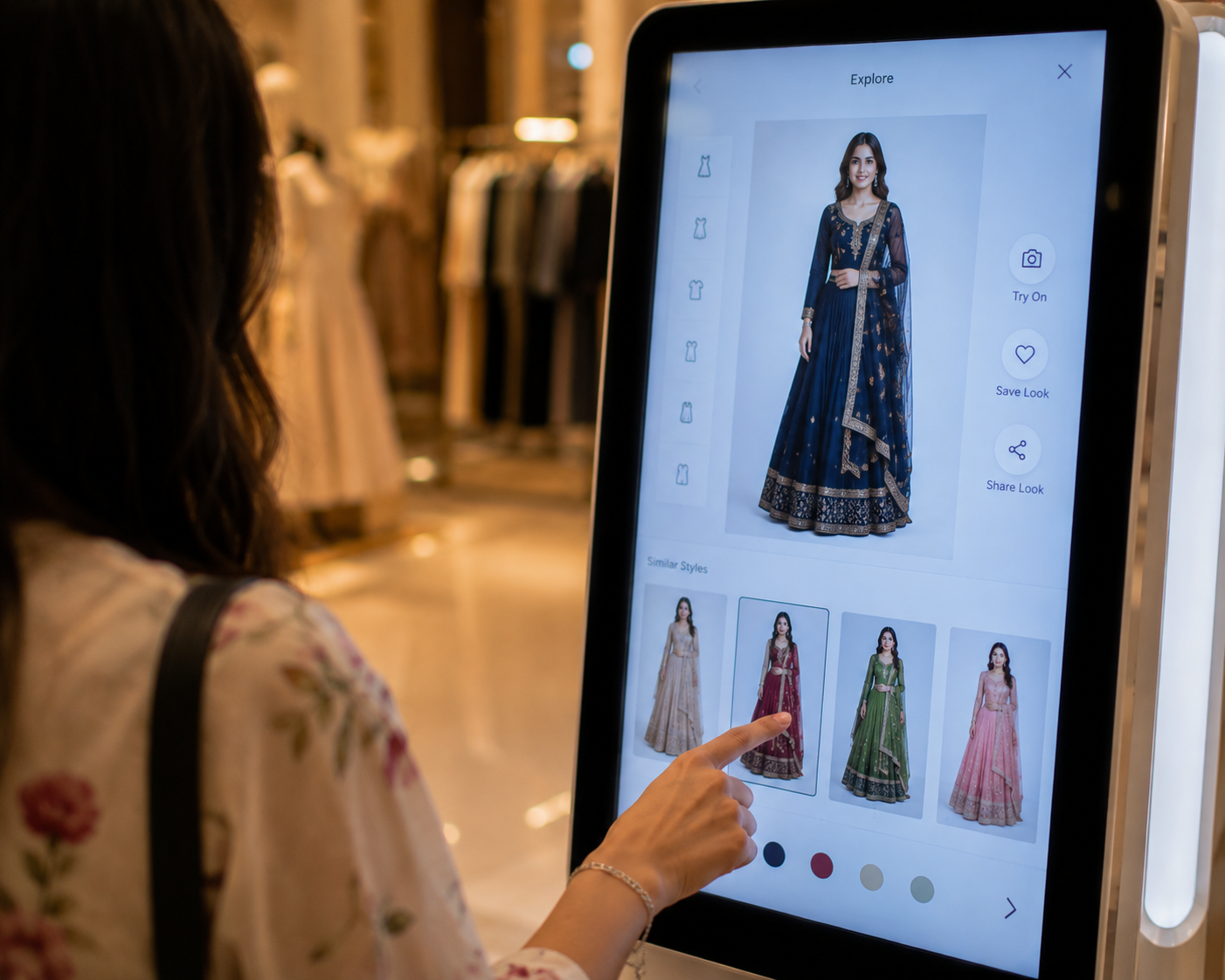
iKawn Mirror works as a buyer-level retail flow: the shopper starts an interactive session, selects garments, sees a visual try-on experience, compares options, and moves to the next retail action. The implementation details stay private, but the operational requirements must be clear.
The public explanation of iKawn Mirror should be clear without exposing private implementation details. A buyer needs to understand the shopper journey, garment selection, camera behavior, staff controls, and validation requirements.
The most important operational idea is consistency. If the shopper selects a garment, the experience should keep that garment faithful enough in type, color direction, texture, and visible styling for the approved retail use case.
iKawn Mirror works as a buyer-level retail flow: the shopper starts an interactive session, selects garments, sees a visual try-on experience, compares options, and moves to the next retail action. The implementation details stay private, but the operational requirements must be clear.
Buyer-level workflow
The public how-it-works page should explain the retail journey without exposing private implementation details. Buyers need to understand inputs, garment selection, device behavior, staff controls, and expected limits.
The most important operational rule is garment fidelity: the selected item should remain the selected item. Color, texture direction, garment type, and visible styling should not change into a different product during the experience.
The shopper starts the experience
The shopper approaches an interactive display or kiosk and starts a guided try-on flow. The exact start method depends on the deployment design.
The practical question for a buyer is how this translates into the store journey: what the shopper sees, what staff can support, what content must be prepared, and what decision the retailer wants after the try-on moment.
Key considerations:
- The experience should be easy to understand without long instructions.
- Store staff can introduce the flow when the setting is assisted.
- The first screen should make the garment category and action clear.
The system uses the live scene and selected garment
The product experience is built around the shopper, the camera view, and the selected garment. The selected garment must be passed correctly so the color, texture, and clothing type remain consistent enough for the use case.
The practical question for a buyer is how this translates into the store journey: what the shopper sees, what staff can support, what content must be prepared, and what decision the retailer wants after the try-on moment.
Key considerations:
- Garment selection should not silently fall back to a default item.
- Camera start and stop behavior should be tested on the target device.
- Real-time quality should be validated with actual store lighting and garments.
The shopper compares and continues
After trying looks visually, the shopper can compare alternatives and move to the next retail action. That action may be associate guidance, product selection, or a digital handoff where supported.
The practical question for a buyer is how this translates into the store journey: what the shopper sees, what staff can support, what content must be prepared, and what decision the retailer wants after the try-on moment.
Key considerations:
- Use virtual try-on for exploration and preselection.
- Keep physical fit checks for final certainty.
- Define the next action before the deployment goes live.
How to evaluate this before a pilot
A strong pilot starts with a narrow use case and a clear store environment. It should prove whether shoppers understand the experience, whether selected garments remain faithful, and whether the retail team can move from visual exploration to a useful next action.
Evaluation checks:
- Start with a visible, easy-to-understand entry screen.
- Make garment selection explicit and avoid hidden defaults.
- Provide a clean stop, reset, or exit path for the camera flow.
- Validate the complete workflow on the real device and store lighting before public use.
What the pilot has to prove
The pilot should produce operational confidence, not only a visual demo. Retail teams should be able to start, reset, explain, and support the experience during realistic store conditions.
Proof points:
- The shopper can start, try, compare, and exit without staff rescue in the intended mode.
- The front camera or configured retail camera behaves consistently on first use.
- The same selected garment remains visible as the same garment throughout the session.
Where expectations need to stay clear
The page should help a buyer understand where virtual try-on is useful and where normal retail judgment still matters. That clarity improves trust and reduces the risk of overpromising before a deployment is validated.
Boundaries:
- Virtual try-on supports discovery and preselection; it does not replace physical fabric feel.
- Complex drape, shine, transparency, and embellishment need garment-level validation.
- Do not publish conversion, accuracy, or revenue claims without measured deployment data.
Scope this for a real retail environment
Share the market, store format, garment category, launch timeline, and whether this is for a store pilot, mall activation, or campaign. iKawn can then map the right Mirror workflow and demo path.