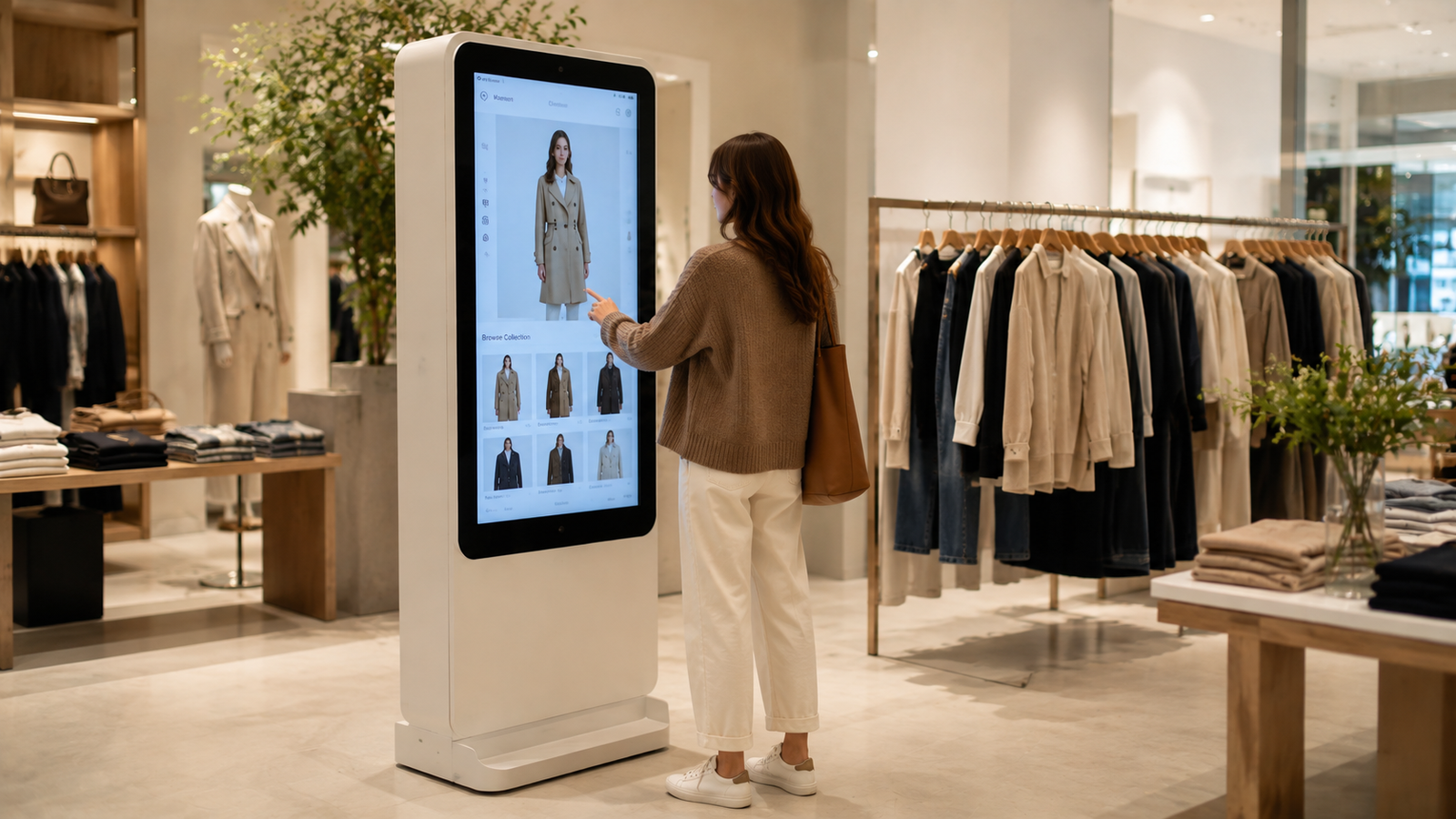
An AI virtual try-on kiosk gives fashion shoppers a dedicated in-store place to browse garments and preview looks visually. For retailers, the kiosk is most useful when it is tied to a clear collection, staff flow, store placement, and measurable next action.
A virtual try-on kiosk works only when it is treated as part of the store, not as a screen dropped into a corner. Shoppers need to understand what to do, staff need to know when to assist, and the retailer needs a clear next action after the try-on moment.
iKawn Mirror turns the kiosk into a focused retail interaction: a shopper selects garments, explores looks visually, and then moves toward product selection, associate guidance, or a campaign handoff where that has been scoped.
A kiosk should create a useful retail moment: select, see, compare, and continue. If it does not lead somewhere, it becomes a display instead of a selling tool.
How to plan a virtual try-on kiosk
A kiosk is not only a screen. It is a retail interaction point that needs power, camera position, shopper space, network planning where required, content ownership, and a practical reset path for staff.
The strongest kiosk use cases are visible store zones where shoppers can stop comfortably and where associates can use the result to continue a useful product conversation.
What the kiosk does
The kiosk creates a dedicated try-on moment in the store. Shoppers can browse selected garments and see a visual try-on experience on a retail display.
The practical question for a buyer is how this translates into the store journey: what the shopper sees, what staff can support, what content must be prepared, and what decision the retailer wants after the try-on moment.
Key considerations:
- Works as a destination inside stores, pop-ups, and mall activations.
- Helps teams present more looks than the visible rack can hold.
- Keeps the virtual try-on experience close to the retail conversation.
Where it belongs
Placement should be decided by shopper flow, associate visibility, power and network access, and the role of the experience in the store.
The practical question for a buyer is how this translates into the store journey: what the shopper sees, what staff can support, what content must be prepared, and what decision the retailer wants after the try-on moment.
Key considerations:
- Near new collections or campaign zones.
- Inside an assisted selling area.
- At mall events where the kiosk is the attraction.
- Away from narrow paths where people cannot comfortably stop.
What affects deployment
A real quote should account for hardware, display format, catalog onboarding, software scope, installation, and ongoing support expectations.
The practical question for a buyer is how this translates into the store journey: what the shopper sees, what staff can support, what content must be prepared, and what decision the retailer wants after the try-on moment.
Key considerations:
- Do not buy only a screen. Define the shopper flow, catalog scope, content process, and commercial goal.
- Kiosk hardware and installation requirements should be scoped from the actual site.
- The best kiosk plan is specific to store format and campaign use case.
How to evaluate this before a pilot
A strong pilot starts with a narrow use case and a clear store environment. It should prove whether shoppers understand the experience, whether selected garments remain faithful, and whether the retail team can move from visual exploration to a useful next action.
Evaluation checks:
- Map footfall and stopping space before choosing kiosk placement.
- Confirm lighting, camera height, shopper distance, power, and network assumptions at the actual site.
- Keep the first garment set focused enough for a shopper to make choices quickly.
- Define a staff reset and support process for busy store hours.
What the pilot has to prove
The pilot should produce operational confidence, not only a visual demo. Retail teams should be able to start, reset, explain, and support the experience during realistic store conditions.
Proof points:
- The kiosk can be started by a shopper or associate without confusion.
- The selected garments load reliably and do not silently revert to an unrelated default.
- The final screen creates a next action, such as staff help, item selection, or a scoped handoff.
Where expectations need to stay clear
The page should help a buyer understand where virtual try-on is useful and where normal retail judgment still matters. That clarity improves trust and reduces the risk of overpromising before a deployment is validated.
Boundaries:
- Virtual try-on supports discovery and preselection; it does not replace physical fabric feel.
- Complex drape, shine, transparency, and embellishment need garment-level validation.
- Do not publish conversion, accuracy, or revenue claims without measured deployment data.
Scope this for a real retail environment
Share the market, store format, garment category, launch timeline, and whether this is for a store pilot, mall activation, or campaign. iKawn can then map the right Mirror workflow and demo path.