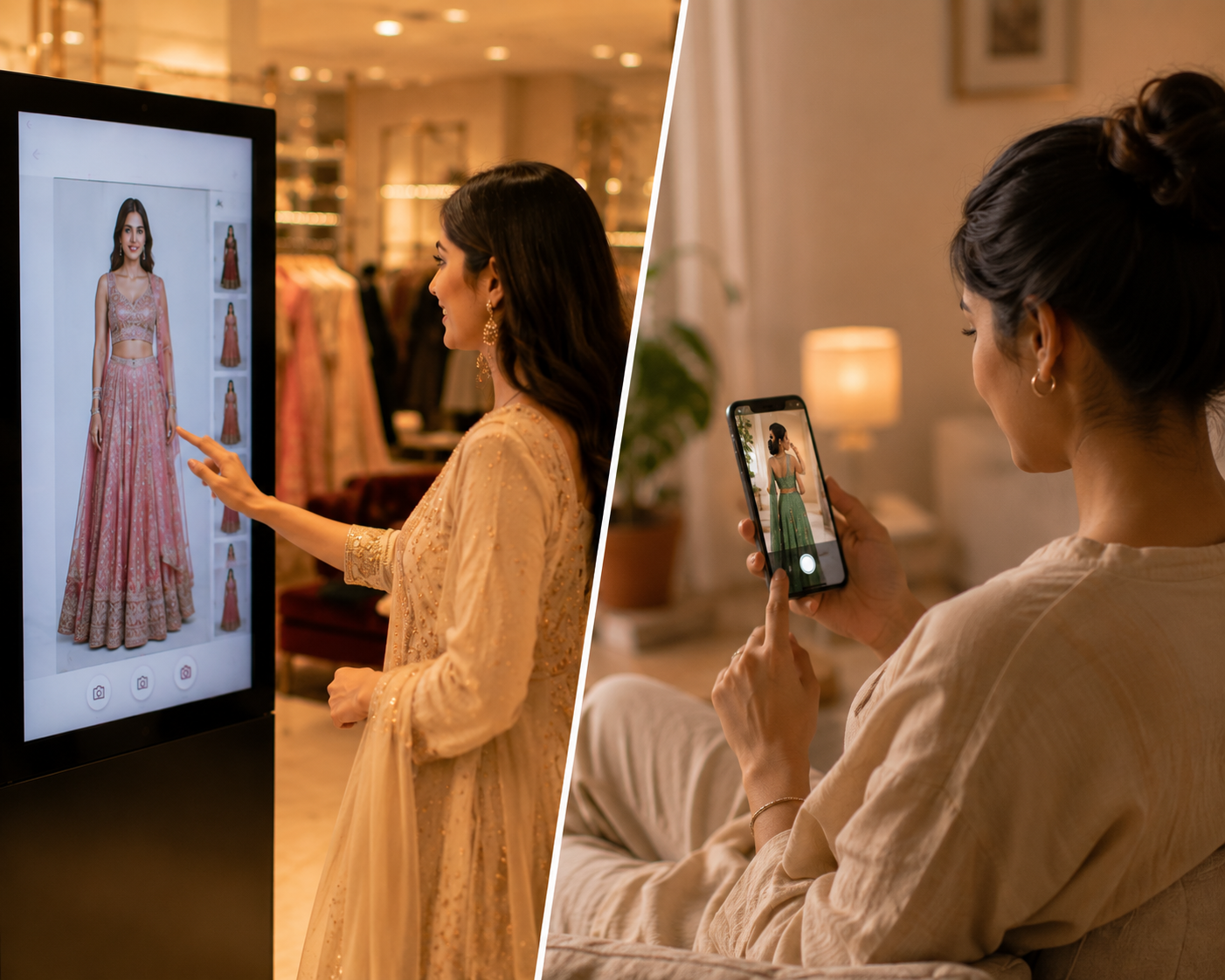
Real-time virtual try-on and photo-based virtual try-on solve different retail problems. Real-time fits stores, kiosks, assisted selling, and activations where immediacy matters; photo-based flows can fit ecommerce or remote browsing where a shopper is willing to upload and wait.
Real-time and photo-based virtual try-on are not the same buying moment. One is built around live interaction in a store or event. The other is often better suited to remote browsing where a shopper is willing to upload and wait.
This comparison helps retailers choose based on shopper context, channel, staff involvement, and the expected next action rather than treating one workflow as universally better.
Real-time virtual try-on and photo-based virtual try-on solve different retail problems. Real-time fits stores, kiosks, assisted selling, and activations where immediacy matters; photo-based flows can fit ecommerce or remote browsing where a shopper is willing to upload and wait.
How to choose between real-time and photo-based try-on
The right choice starts with the buying moment. A shopper standing in a store needs a fast, guided, low-friction flow. A remote shopper may accept a photo step if the context is product-page exploration.
A retailer can use both approaches across channels. The mistake is treating a delayed remote workflow as a substitute for a live store interaction without testing abandonment, staff flow, and shopper patience.
The core difference
Real-time try-on is designed around a live interaction. Photo-based try-on starts from an uploaded or captured still image and returns a generated output after processing.
The practical question for a buyer is how this translates into the store journey: what the shopper sees, what staff can support, what content must be prepared, and what decision the retailer wants after the try-on moment.
Key considerations:
- Real-time is strongest when immediacy matters.
- Photo-based flows can work well for remote browsing.
- A retailer may need both for different channels.
Where real-time fits
Real-time is a better fit when the shopper is physically present, the store team wants to keep momentum, and the experience is part of a kiosk or assisted selling flow.
The practical question for a buyer is how this translates into the store journey: what the shopper sees, what staff can support, what content must be prepared, and what decision the retailer wants after the try-on moment.
Key considerations:
- Stores and flagship experiences.
- Mall and brand activations.
- High-touch assisted selling conversations.
Where photo-based fits
Photo-based try-on can be useful for ecommerce product pages, remote style exploration, and asynchronous shopping moments where the shopper is not standing at a retail display.
The practical question for a buyer is how this translates into the store journey: what the shopper sees, what staff can support, what content must be prepared, and what decision the retailer wants after the try-on moment.
Key considerations:
- Product page exploration.
- Remote browsing.
- Lower-touch flows where waiting is acceptable.
How to evaluate this before a pilot
A strong pilot starts with a narrow use case and a clear store environment. It should prove whether shoppers understand the experience, whether selected garments remain faithful, and whether the retail team can move from visual exploration to a useful next action.
Evaluation checks:
- Choose real-time first for kiosk, store, mall, and assisted selling use cases.
- Choose photo-based flows where remote browsing and asynchronous results are acceptable.
- Compare shopper effort, wait tolerance, device context, garment fidelity, and next action.
- Avoid blanket claims that either approach is always better.
What the pilot has to prove
The pilot should produce operational confidence, not only a visual demo. Retail teams should be able to start, reset, explain, and support the experience during realistic store conditions.
Proof points:
- Shoppers understand the experience without long explanation.
- Store teams can start, stop, reset, and introduce the flow cleanly.
- The catalog owner can refresh garments without breaking the retail journey.
Where expectations need to stay clear
The page should help a buyer understand where virtual try-on is useful and where normal retail judgment still matters. That clarity improves trust and reduces the risk of overpromising before a deployment is validated.
Boundaries:
- Virtual try-on supports discovery and preselection; it does not replace physical fabric feel.
- Complex drape, shine, transparency, and embellishment need garment-level validation.
- Do not publish conversion, accuracy, or revenue claims without measured deployment data.
Scope this for a real retail environment
Share the market, store format, garment category, launch timeline, and whether this is for a store pilot, mall activation, or campaign. iKawn can then map the right Mirror workflow and demo path.